


theScore: Sports News & Scores
4.236.84K Reviews
App Specs
- Version
- 26.13.0
- Updated On
- License
- Free
- Downloads
- 10,000,000+
- Developer
- Score Media and Gaming Inc.
- Categories
- Sports
- Platform
- Android, iOS
Screenshots

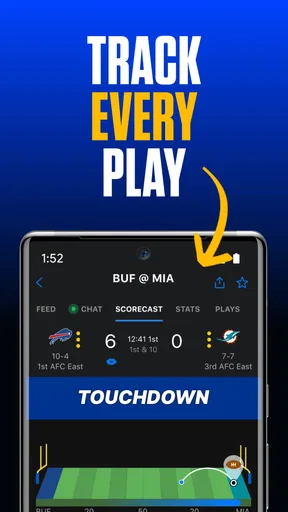
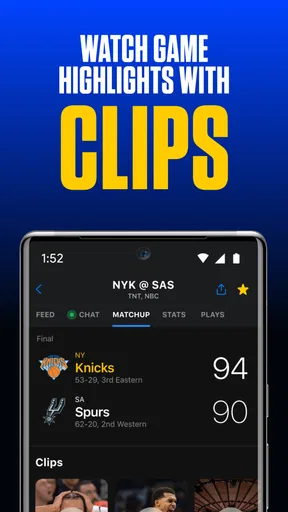
 Analysis by AppCompare
When I install a new sports app, I want one simple first win: find the teams I care about and check what is happening without bouncing between several screens. That is the appeal of theScore. It brings live scores, sports news and stats together, so I can use it for a quick check-in or settle in for a longer browse. The key is to shape it around your interests early; otherwise, a broad sports feed can feel busier than it needs to.
What to expect from a sports hub
This is a sports app from Score Media and Gaming Inc., and it is free to use. Its mix of scores and reporting makes it useful beyond game time: I can check a result, then stay to read about the wider story around a team or league. Its Everyone age rating also makes it suitable for a broad audience, though the news and social parts may be more relevant to older fans who already follow sports closely.
The app has been available since May 19, 2010, and its current version is 26.8.0. It has a 4.2 average from around 202,000 ratings, with more than 10 million installs. Those figures suggest it has found a large audience, but they do not tell you whether its style suits you. In practice, the most important question is whether you prefer one customizable sports feed or separate apps dedicated to individual leagues.
I would approach theScore as a convenient overview, not as a replacement for every source of sports coverage. It can reduce the need to open different apps just to check several results, but a fan who wants one league’s deepest specialist analysis may still prefer that league’s own app or a dedicated publication. The advantage here is breadth; the trade-off is that a wide selection can make the experience feel less focused until you personalize it.
Set it up around the teams you follow
After installing, I’d start by choosing a small group of favorite teams and competitions rather than trying to follow everything at once. That gives the home experience a clearer purpose and makes notifications more useful. You can always widen your interests later, but starting narrowly is a practical way to avoid turning a sports app into another stream of alerts and headlines to manage.
Think about how you actually follow sports before switching on notifications. If you mainly want final scores, alerts for every developing story may be distracting; if you follow a team closely, news updates can help you keep track between games. I treat notifications as a filter, not a feature to enable indiscriminately. Keeping them tied to the teams and leagues I care about makes them easier to notice when they matter.
There is also a useful distinction between customizing what you follow and using the app as a general news reader. A focused selection works well for routine checks, while browsing more broadly is better when I want to see what else is happening across sports. Keeping those two habits separate helps: I can go straight to my interests on a busy day, then explore the wider coverage when I have time.
Worth Reading Before You Choose

Flipboard Shows What News Apps Must Do Beyond the Feed

Switching to Android Auto Means Rethinking Your Driving Routine

Google Calendar Makes a Crowded Week Easier to Manage

Ludo King Makes the Most of the Minutes Between Plans

Baby Panda World Brings Quick Play to Modern Phones, but Its Game Library Feels Busy

ESPN’s Live Game View Makes Following Close Games Easier
Your first useful check-in
Once your favorites are selected, try opening the app during a game and using it to answer one specific question: what is the score, and what else is happening around the match? The live updates are the obvious starting point, while the related news and stats add context. That small routine is a better test than scrolling through every section on your first visit, because it shows whether the app fits the way you actually follow a game.
A realistic use is checking in during a commute or a work break when you cannot watch. I can look at the score, see whether there is a developing story about a team I follow, and return to what I was doing. In that situation, concise updates are more useful than trying to recreate the full viewing experience on a phone. If you want video or a live broadcast, a scores-and-news app is not a substitute for a streaming service.
Another useful workflow is to check the app before a game, rather than only after it starts. A quick look at the news can give me some context for a matchup, while following the teams makes it easier to find the relevant score later. This is especially handy when several sports are active at once: I can use the app as a starting point, then spend more time on the one event that matters most to me.
Where the convenience has limits
Having scores, news and stats together is convenient, but it also means the app can present a lot of information. If you follow many teams, browse every sport, and enable frequent alerts, the feed may become harder to scan. My advice is to remove interests that no longer matter and be selective with notifications. Personalization is not a one-time setup; it works best when you adjust it as your season and interests change.
It is also worth separating a quick score check from a deep research session. The app is well suited to keeping track of multiple teams and catching up on news, but someone comparing detailed data across a full season may find a specialist statistics site more comfortable. Likewise, if you only follow one team and want a highly focused club experience, that team’s official app may provide a narrower destination. I would choose based on the job: broad awareness here, specialist depth elsewhere.
One point first-time users often overlook is that more coverage does not automatically mean more useful coverage. A thoughtful favorites list can make the app feel personal; an oversized one can recreate the clutter it is meant to avoid. I would begin with the teams I check most often, use the app for a few days, and add other interests only when I find myself searching for them. That small habit makes the first setup easier to evaluate.
All-in-One Sports Hub
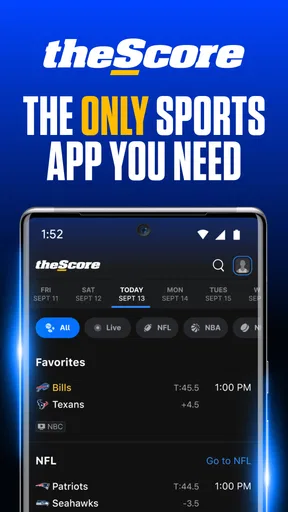
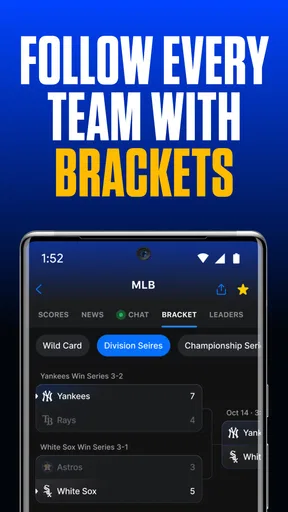
When I first downloaded theScore, I was immediately struck by its sleek and user-friendly interface. It’s like having a sports bar in your pocket, minus the sticky floors and loud fans. You can seamlessly switch between scores, news, and stats for all your favorite sports. Whether you’re into the NFL, NBA, MLB, or something more niche like MLS, this app has got you covered.
One thing I particularly love is the real-time score updates. Gone are the days of hitting refresh to see if your team finally scored. With theScore, you’ll get live updates faster than you can say "touchdown." It’s like having a personal commentator in your pocket, whispering the latest stats and scores right into your ear.
Stay Informed with Breaking News
Beyond just scores, the app provides a comprehensive news section. Think of it as your personal sports newspaper, curated just for you. You’ll find articles from top sports journalists and analysts, covering everything from game previews to post-match reactions. I love waking up, grabbing my coffee, and catching up on the latest sports gossip before starting my day.
The app also includes personalized notifications, so you’ll never miss a breaking story. Whether it’s a trade rumor or an injury update, you’ll be the first to know. It’s like having a crystal ball into the world of sports.
Customized Experience
What sets theScore apart is its customization options. You can tailor the app to focus solely on your favorite teams and leagues. No more wading through scores and news you don’t care about. It’s all about you and your sports obsessions. I’ve set mine up to follow my beloved teams, and now the app feels like it was made just for me.
Plus, the app’s social feature allows you to connect with friends and fellow fans. You can share news, discuss games, and even engage in friendly banter. It’s like having a sports forum right at your fingertips.
User-Friendly Design
The design of the app is another highlight. It’s intuitive and visually appealing, making it easy to navigate even for the least tech-savvy among us. I never felt overwhelmed or lost, which is a big deal considering the wealth of information available. Everything is organized neatly, ensuring you can find exactly what you’re looking for without any hassle.
Additionally, the app runs smoothly without any noticeable lag, which is crucial when you’re trying to catch up on live games. The last thing anyone wants is for their sports app to crash in the middle of a big match.
Choosing the right way to follow
Compared with opening separate league apps, theScore’s main strength is having several sports in one place. That makes it a sensible choice if your interests span basketball, baseball and other competitions, or if friends and family follow different teams. A league-specific app may be a better fit when you want a tightly focused experience; a streaming service is the better choice when watching the event matters more than checking the score.
The social side can add a little conversation to the routine, especially when you want to share a story or talk through a result with other fans. I would treat it as an optional extra rather than the reason to install. If you prefer to keep sports browsing private or simply want results and reporting, you can still get value from the core check-in habit without turning every update into a discussion.
For a first-time user, the best next step is to keep the setup modest, follow one or two teams you genuinely care about, and check a live event or its coverage. If the app helps you answer the questions you usually ask—what happened, what is happening now, and what news affects my team—then expand your list gradually. If you find yourself wanting a broadcast, specialist analysis, or a quieter single-team feed, use a service built for that purpose instead.
Final Thoughts
In a world where sports apps are a dime a dozen, theScore stands out as a comprehensive and reliable choice. It’s the perfect companion for anyone who wants to stay connected to the sports world without the clutter and confusion. Whether you’re a die-hard fan or just a casual observer, this app offers something for everyone.
So, if you’re ready to streamline your sports experience and always stay in the know, give theScore a try. Trust me, once you do, you’ll wonder how you ever kept up with sports without it.
Pros
- Comprehensive sports coverage across multiple leagues.
- Real-time score updates and notifications.
- Customizable alerts for favorite teams and games.
- User-friendly interface with easy navigation.
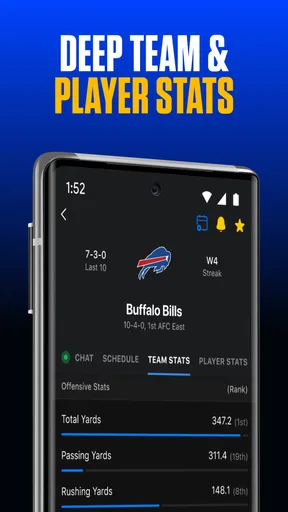
- Detailed stats and analysis for deeper insights.
Cons
- Ads can be intrusive during use.
- Occasional delays in score updates.
- Limited video content compared to competitors.
- No offline mode for viewing news.
- Requires account for personalized features.
FAQs for theScore: Sports News & Scores
What sports and leagues are covered by theScore app?
theScore app offers comprehensive coverage of a wide range of sports, including football, basketball, baseball, hockey, and more. It also covers major leagues such as the NFL, NBA, MLB, NHL, and international soccer leagues. Users can customize their experience by selecting their favorite teams and leagues to follow.
How does theScore app provide real-time updates?
theScore app provides real-time updates through push notifications and live feeds. Users receive instant alerts for scores, news, and breaking stories related to their selected teams and sports. This ensures that fans are always informed of the latest developments as they happen, making it a must-have for sports enthusiasts.
Can I personalize my experience on theScore app?
Yes, theScore app allows users to personalize their experience by choosing their favorite teams, sports, and leagues. This customization enables tailored notifications and a personalized news feed, ensuring that users receive only the updates that matter most to them. This feature enhances user engagement and satisfaction.
Does theScore app offer any social features?
theScore app includes social features that let users share scores, news, and highlights with friends directly from the app. It also integrates with social media platforms, allowing fans to engage in discussions and share content. This community aspect enhances the interactive experience for sports fans.
Is theScore app free to use, and are there any in-app purchases?
theScore app is free to download and use, providing access to live scores, news, and updates. While the core features are free, the app may offer in-app purchases or premium features for an enhanced experience. Users can enjoy extensive coverage without mandatory purchases.


